
QR Code Scanner & Reader — Scan QR from Screen, Image or PDF
Сканер QR-кодов — считать QR с экрана, картинки или PDF
Сканер QR-кодов — считать QR с экрана, картинки или PDF
Scan QR codes on any web page, image or PDF — no phone needed. Finds every code at once: links, Wi-Fi, contacts. No ads or tracking.
Chrome Firefox Privacy facts.json
| Chrome | https://chromewebstore.google.com/detail/nfomaehjpglkiodofgodgdomgcfldhhc |
|---|---|
| Firefox | qr-code-scanner-reader |
| Firefox id | qr-reader@dmitryq |
| Permissions |
|
| Optional | none |
| Optional sites | none |
| Runs on | none |
| Firefox data collection | {"required": ["none"]} |
| Shortcut | Alt+Shift+R |
Screenshots from the store materials.
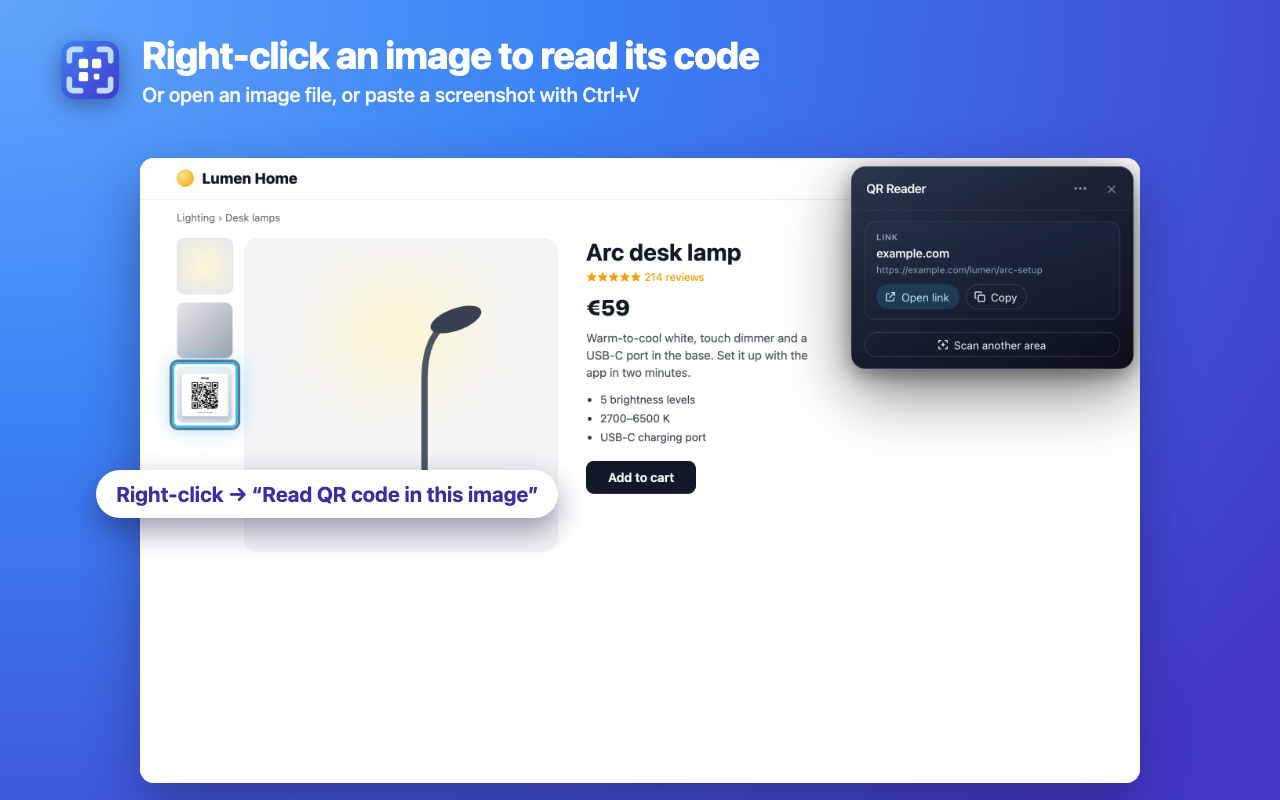
Chrome Web Store listing. The Firefox listing matches it, unless a separate block follows.
Scan a QR code that's on your computer screen — on a web page, in a picture, in a PDF or in a screenshot. No phone, no app, no uploading.

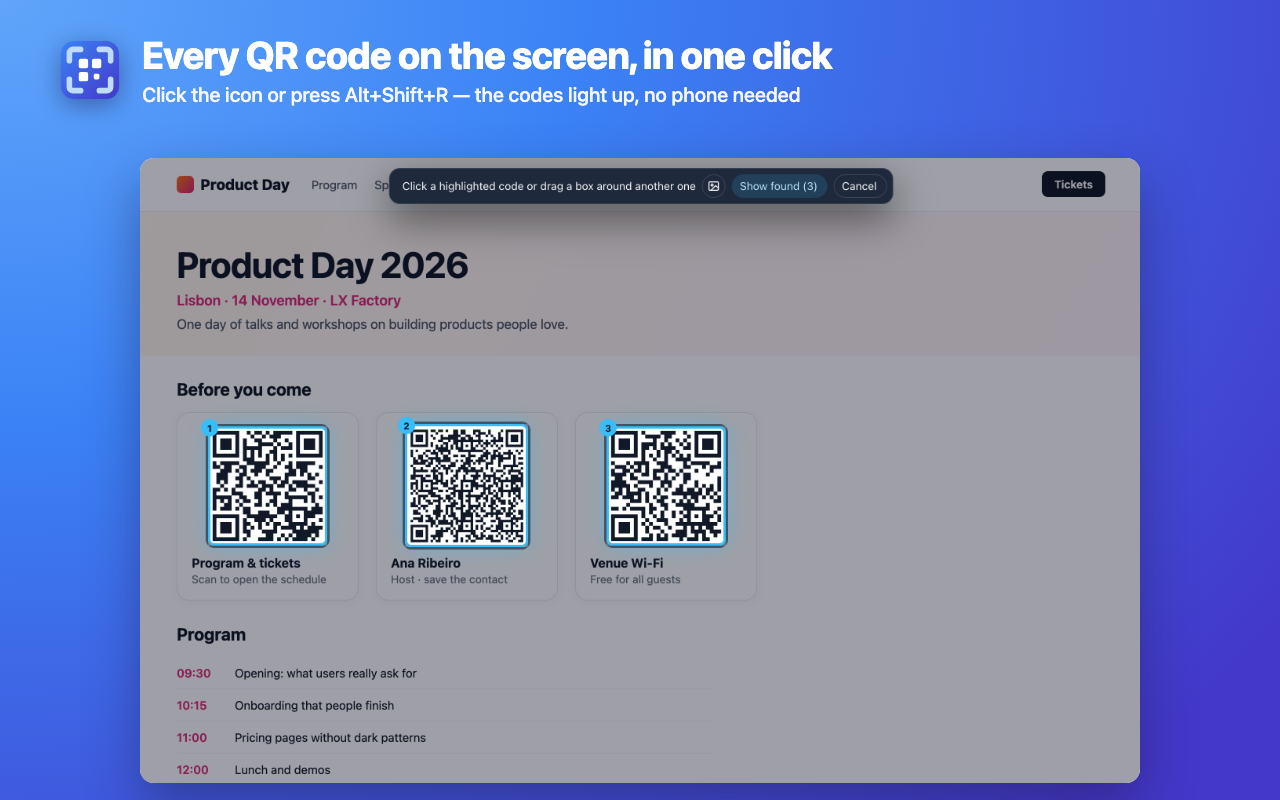
Click the icon (or press Alt+Shift+R): the page dims and every QR code on the screen lights up. Click a code to read it, or drag a box around any part of the page.

READS WHAT OTHERS MISS
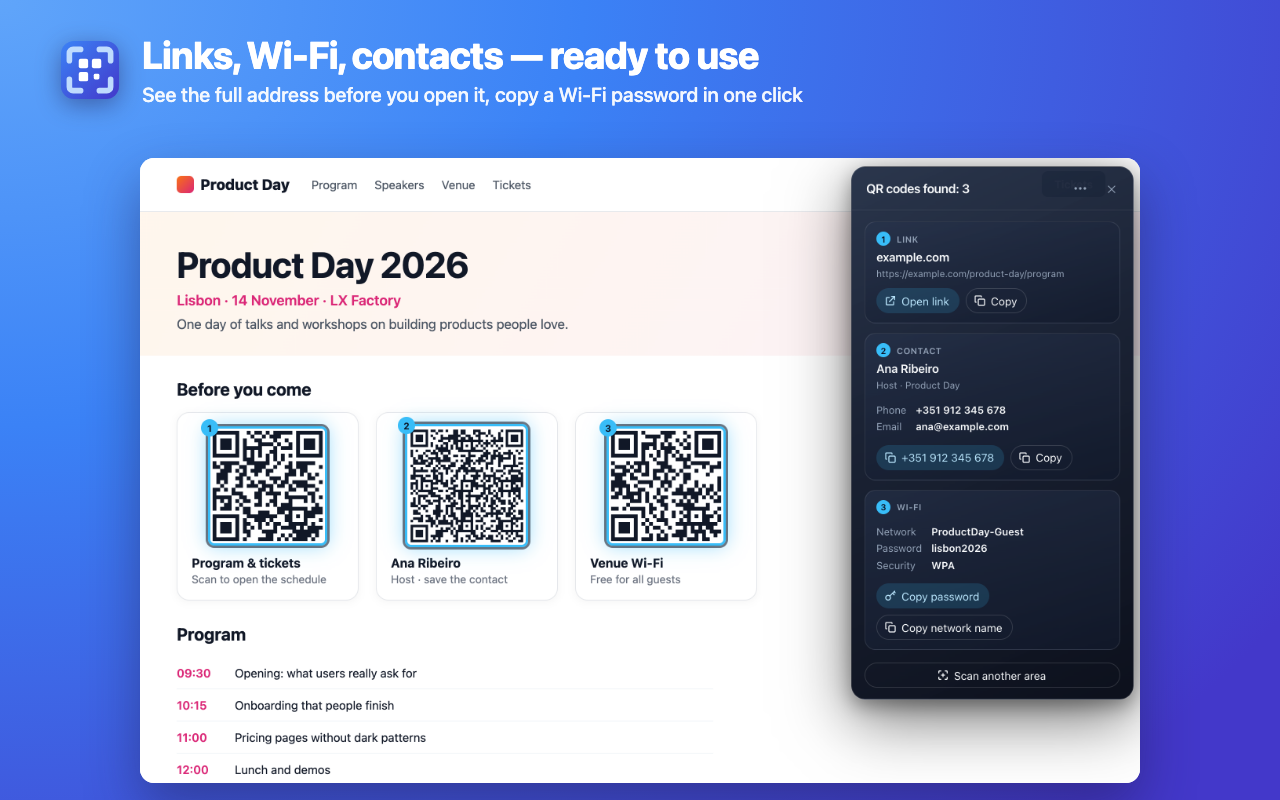
• Every code at once: several QR codes on one page are found together and numbered, so you know which result is which.
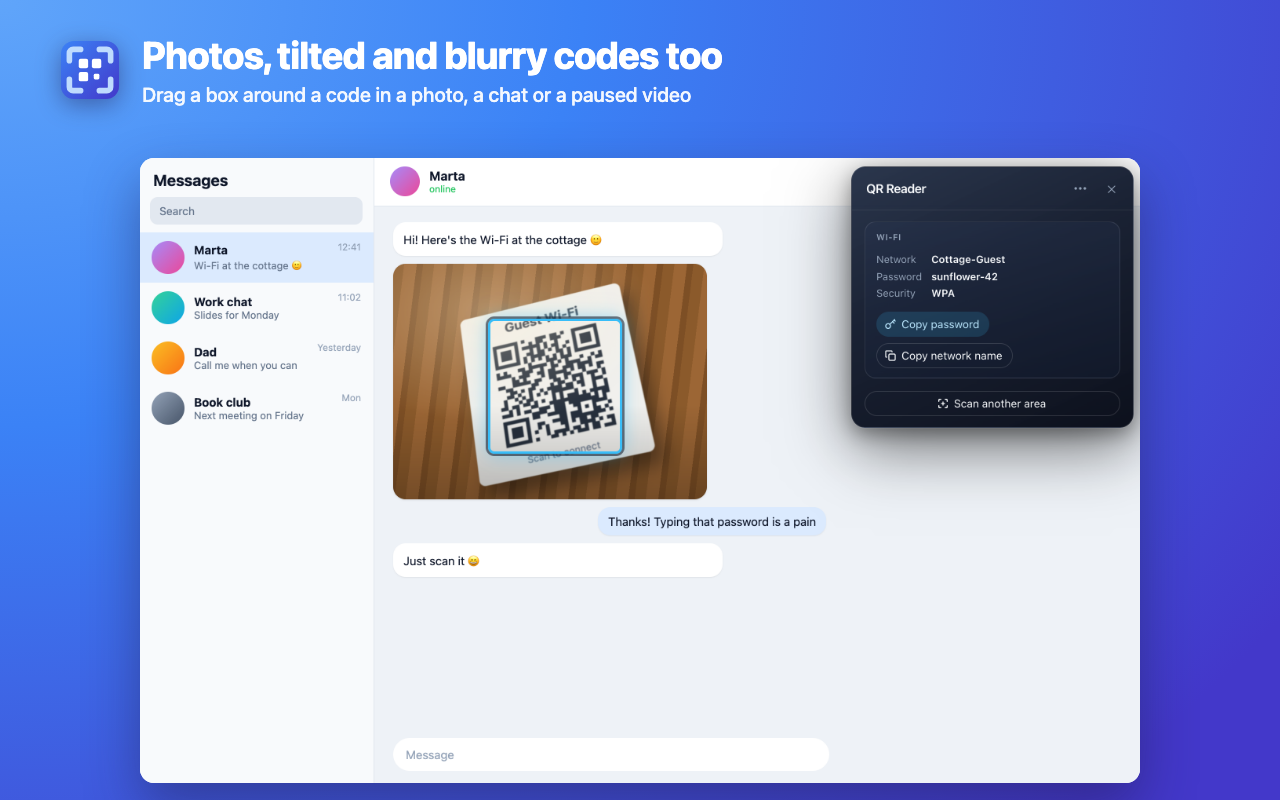
• Hard codes: small, dense, tilted, damaged and photographed codes; Micro QR and rMQR.
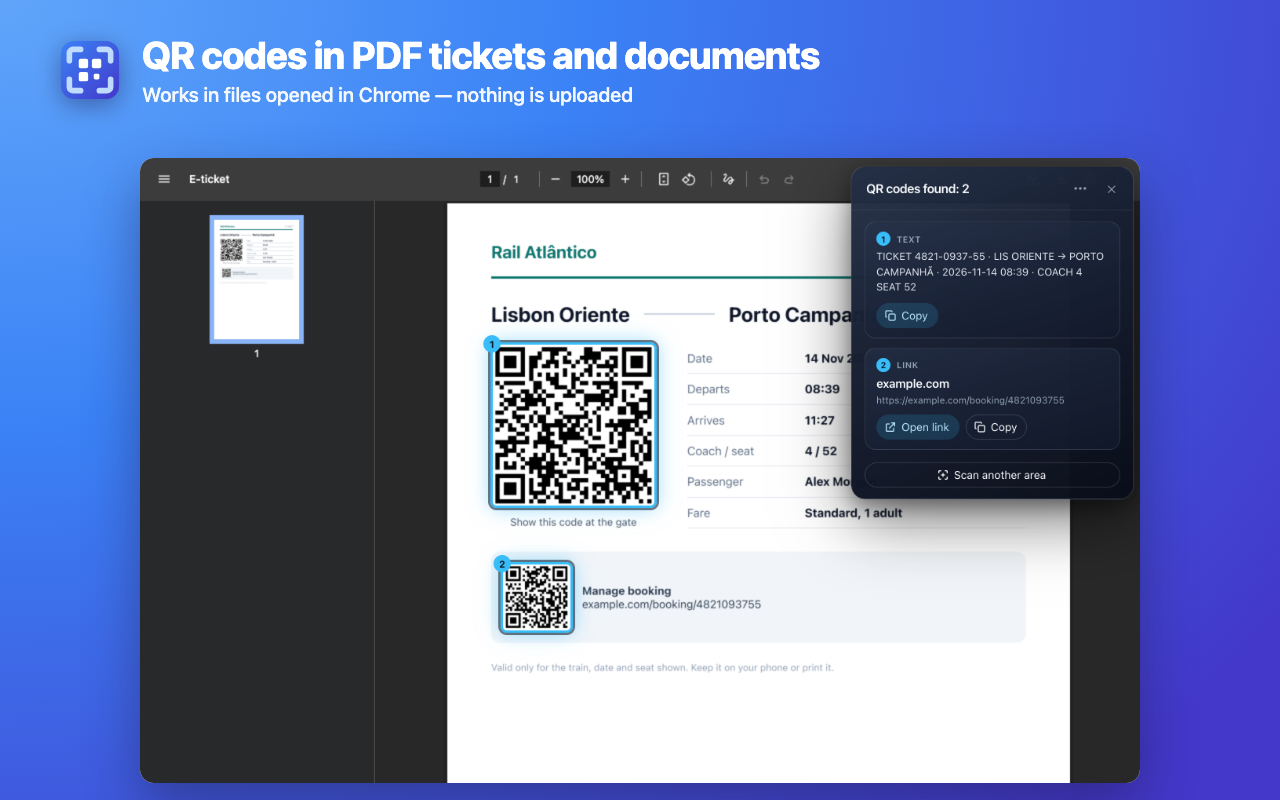
• PDFs: tickets, invoices and boarding passes opened in Chrome.
• Images: right-click a picture → "Read QR code in this image". It reads the full-size file, so even small thumbnails work.
• Files and screenshots: "Open image…" in the menu, or paste a screenshot with Ctrl+V (⌘V on Mac).

CLEAR, SAFE RESULTS
• Links: see the full address first, then open it in a new tab next to yours.
• Wi-Fi: network name, password and security type, with "Copy password".
• Email, phone, SMS, contacts, map locations and plain text, each with one-click copy.
• Codes that hide javascript:, data:, file: and similar addresses are shown as text with a warning and are never opened.

PRIVATE AND FAST
• Decoding happens inside your browser. Screenshots and images are never saved or sent anywhere.
• No permission warnings on install: the extension sees a page only after you click its icon there.
• No sign-up, no subscription, no ads, no redirects through other websites.
• Results in a fraction of a second. Changed your mind? Press Esc or "Cancel".
• Interface in 15 languages, light and dark theme.

GREAT FOR
Wi-Fi codes sent as screenshots; QR codes in emails, chats, slides and documents; e-tickets and boarding passes in PDF; codes on product pages and in videos (pause first); checking where a QR code really leads before you open it.

Need to make QR codes too? "Make QR codes for your tabs and links" in the menu opens the companion generator.
Text from the Firefox Add-ons page. It differs from the Chrome text.
Scan a QR code that's on your computer screen — on a web page, in a picture, in a PDF or in a screenshot. No phone, no app, no uploading.

Click the icon (or press Alt+Shift+R): the page dims and every QR code on the screen lights up. Click a code to read it, or drag a box around any part of the page.

READS WHAT OTHERS MISS
• Every code at once: several QR codes on one page are found together and numbered, so you know which result is which.
• Hard codes: small, dense, tilted, damaged and photographed codes; Micro QR and rMQR.
• PDFs: tickets, invoices and boarding passes opened in Firefox. Add-ons can't draw over Firefox's PDF viewer, so the codes found there open in a small window.
• Images: right-click a picture → "Read QR code in this image". It reads the full-size file, so even small thumbnails work.
• Files and screenshots: "Open image…" in the menu, or paste a screenshot with Ctrl+V (⌘V on Mac).

CLEAR, SAFE RESULTS
• Links: see the full address first, then open it in a new tab next to yours.
• Wi-Fi: network name, password and security type, with "Copy password".
• Email, phone, SMS, contacts, map locations and plain text, each with one-click copy.
• Codes that hide javascript:, data:, file: and similar addresses are shown as text with a warning and are never opened.

PRIVATE AND FAST
• Decoding happens inside your browser. Screenshots and images are never saved or sent anywhere.
• No permission warnings on install: the extension sees a page only after you click its icon there.
• No sign-up, no subscription, no ads, no redirects through other websites.
• Results in a fraction of a second. Changed your mind? Press Esc or "Cancel".
• Interface in 15 languages, light and dark theme.

GREAT FOR
Wi-Fi codes sent as screenshots; QR codes in emails, chats, slides and documents; e-tickets and boarding passes in PDF; codes on product pages and in videos (pause first); checking where a QR code really leads before you open it.

Need to make QR codes too? "Make QR codes for your tabs and links" in the menu opens the companion generator.